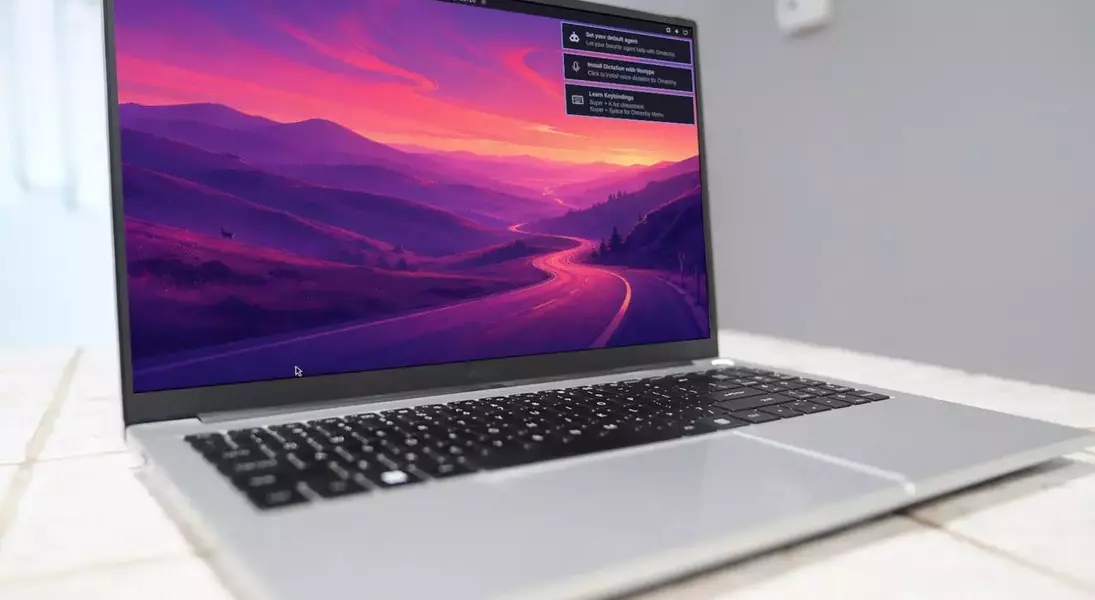
Experience the Future: Omarchy Quattro, Where AI Meets Linux Innovation
Introduction to Omarchy Quattro: A New Era for Linux Distributions
Omarchy Quattro represents a significant stride in the evolution of Linux distributions, marking one of the first to deeply embed artificial intelligence. While the notion of AI in Linux remains a topic of debate—with some, including Linux creator Linus Torvalds, seeing its potential for kernel development, and others expressing concern over parallels with Windows' Copilot or Apple Intelligence—Omarchy's developers are firmly committed to an AI-first future. They view AI as a tool to democratize Linux, making the adaptable operating system accessible to more users and harnessing new forms of intelligence. For those who may not embrace this direction, the developers acknowledge the availability of numerous anti-AI distribution alternatives.
The Vision Behind Omarchy: Embracing AI in Linux
The developers behind Omarchy are convinced that AI is not just a feature but a foundational element for the future of Linux. Their philosophy posits that integrating AI can transform how users interact with the operating system, making it more dynamic and intelligent. This perspective positions Omarchy at the forefront of a movement aiming to blend the robust, open-source nature of Linux with the cutting-edge capabilities of artificial intelligence.
AI Integration: Coding Agents and System Diagnostics
In Omarchy, AI coding agents are treated as primary components, offering a flexible approach without imposing a single preferred agent. The distribution pre-wires various major coding-agent command-line interfaces (CLIs) as lazy-loaded launchers. These launchers are minimal, managed stubs in the user's local bin directory, ensuring that nothing is downloaded until it's actively used. This strategic integration highlights Omarchy's focus on developers, who are its primary target audience.
Tailored for Developers: The Hyprland Experience
Omarchy is explicitly designed for developers, as evidenced by its emphasis on AI coding agents and the choice of Hyprland as its desktop environment. Hyprland, while powerful and efficient, is known for its steep learning curve, requiring users to master numerous keyboard shortcuts. This makes Omarchy less suitable for average users and more appealing to power users who are comfortable with complex configurations and command-line interfaces. Despite its initial challenges, Hyprland offers a highly customizable and efficient workspace once mastered.
Navigating Omarchy: Challenges and Solutions for New Users
Even experienced users of Hyprland might encounter initial hurdles with Omarchy's desktop. For instance, setting up AI agents can sometimes lead to interface overlaps, where a web browser for authentication might be obscured by an AI agent setup overlay. A workaround, such as opening a third application to trigger window tiling, may be necessary to resolve such issues. Furthermore, initial authentication with services like Google might fail, requiring users to generate API tokens for successful integration.
Seamless AI Interaction: Command-Line and Local AI
Once configured, the Omarchy AI agent functions effectively as a command-line tool, facilitating seamless interaction with integrated AI services. It supports various functionalities, including the creation of sandboxes for isolated environments. Omarchy also allows for the integration of local AI agents, such as LM Studio, which provides a graphical user interface (GUI) for beginners, unlike purely command-line alternatives like Ollama. This dual capability allows users to run both local GUI AI and third-party CLI AI concurrently, enhancing flexibility and productivity.
Advanced AI Features: Beyond Basic Interaction
Omarchy offers a suite of advanced AI-centric features designed to enhance the user experience. An AI agent icon on the top bar provides real-time tracking of AI subscriptions, usage, weekly limits, and token consumption. The system also leverages AI to monitor systemd-coredumps for process crashes. Upon detecting a segfault, a notification directs the crash information to the default AI agent, which, using Omarchy's built-in diagnose-crash skill, collects data and assesses the incident's report-worthiness. Agent skills further extend AI capabilities to system customization, Hyprland configuration, top bar adjustments, and even theme creation.
Mastering Hyprland: Shortcuts and Customization
Omarchy was instrumental in making Hyprland accessible and enjoyable for some users. To effectively navigate this environment, learning keyboard shortcuts is essential. Keybindings like Super+W for closing windows, Super+Space for the Omarchy menu, and Super+Return for opening a terminal are crucial. The desktop menu provides access to a comprehensive list of shortcuts, though some, like Super+Shift+Ctrl+A for the AI agent, might need to be discovered. The distribution also includes prebuilt themes and the Aether Hyprland theme editor for extensive customization.
Conclusion: Omarchy Quattro's Vision for Power Users
Ultimately, Omarchy Quattro is meticulously crafted for power users who desire AI integration at the core of their Linux experience. This distribution is not intended for Linux novices or those averse to AI's growing influence in operating systems. Its combination of advanced features, particularly AI-driven tools and the highly efficient Hyprland desktop, offers a compelling proposition for users seeking a sophisticated and customizable environment. The future releases promise further innovations, making Omarchy an exciting project to watch, regardless of one's stance on AI.